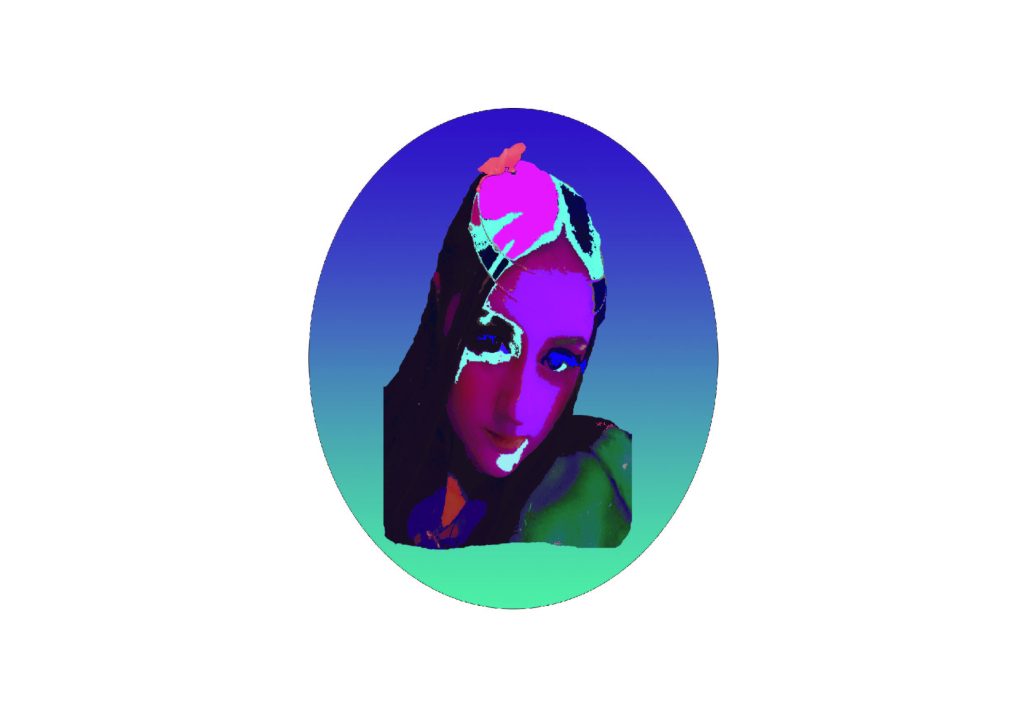
This is my first photoshop self portrait. I used the magnetic lasso tool to select my face from a picture, and then I used the paint bucket tool to change the colours of the shading of my face, and colours of my hair. I also layered the image on top of a circle shape to make it look more complete. I have very limited photoshop skills at this point so I did the best I could.
I chose neon/fluorescent colours for a futuristic style of portrait, because I love to play video games, and I love technology, and I embrace the development of technology in society, such as the development of AI, VR, and AR. I think it’s something that could bring forth some really amazing progression to science, medicine, and technology, through the power of machine learning. I kind of wanted to make this portrait look like an AI, or an AI character from a video game, to show that I support the integration of AI, and technology in today’s society.
I am excited for technology to keep developing at the rate that it has recently, and I feel lucky that it’s something I will get to witness in my lifetime. I am not good with communicating, or understanding people, but I spend a lot of time on my computer playing games, and being on the internet, and I feel like this is something that has raised me, and shaped me into who I am, so I feel a certain comfort with technology, that i have never felt from people.
I chose a conceptual colour theme to connote colours such as those seen in Hong Kong’s famous city lights at night, e.g, rich neon purples, greens, and pinks, as I think this is something which is often used as inspiration for futuristic video games. I also think it makes the portrait look abstract and futuristic.
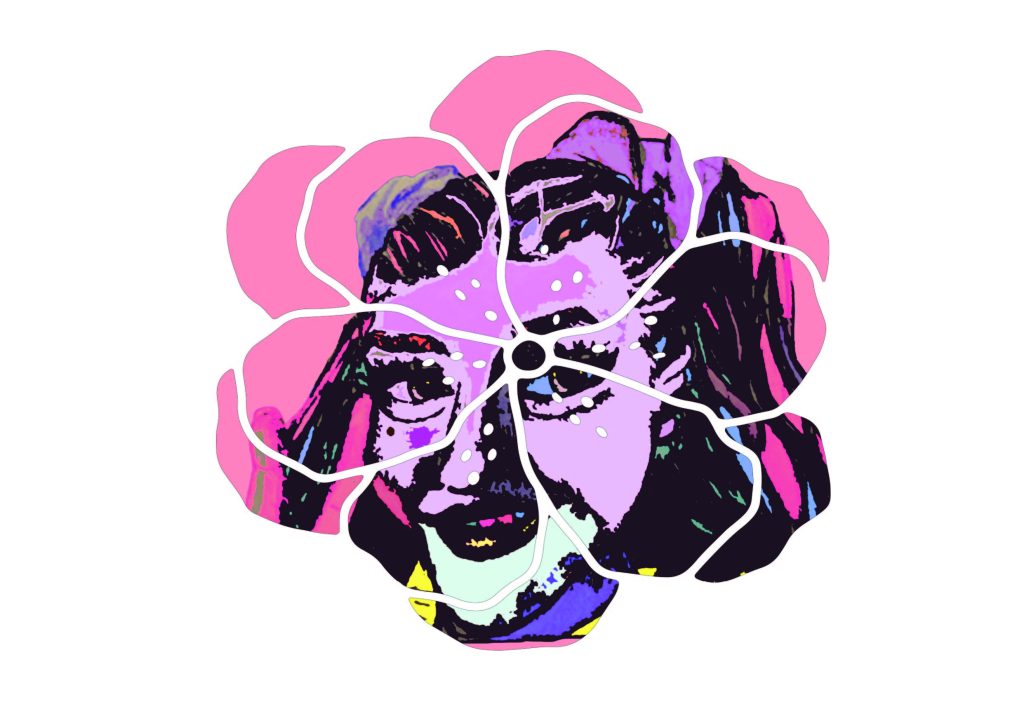
This portrait is a radical change in approach from the first one, because i uploaded a photograph of a pencil sketch i did of my face, and then i used the paint bucket tool to change the colours of my face and my hair into pastel “kawaii” colours, but it did come out looking a little more bright and fluorescent than i would have liked.
I wanted it to have an interesting and illustrative quality to it so I did draw it by hand, and I like how it looks illustrative but also a little bit like how cell shaded game characters look at the same time.
My concept for this portrait was to just be myself and to enjoy having free creative reign over my portrait, and to express myself, whilst learning how features of photoshop work, i.e clipping masks, shapes, changing colours. I wanted to have a clipping mask so that I could put my portrait inside of a shape, and I picked the cherry blossom, because I love trees and nature; My favourites are cherry blossoms, and all kinds of pine trees, so I chose the blossom shape. Some of my fondest memories are of camping with my mum and being around nature, and it’s something that I’m glad was taught to me, because I love the trees and the flowers, and all the different colours of the countryside.
Feeling out of depth with people is a common theme in my life, so I find nature to help me to feel a little less weird and out of place, knowing that I always have a place with the trees and the sky.
My thought process for this design was that the blossom shape is from my favourite tree and could represent my love of nature, and has a nice composition, as well as helping to break up the intense colouring of the portrait, and allows for some depth because of the layer mask.