Lab Exercises
Prototyping The Immersive Experience
What is Virtual Reality?
“VR applications immerse the user in a computer-generated environment that simulates reality through the use of interactive devices, which send and receive information and are worn as goggles, headsets, gloves, or body suits.” Lowood, Henry E (2025)
In this assignment, I will be writing about how certain softwares can be utilized using visual language such as light, colour and sound to create 360 environments.
The Cell Fracture Exercise In Blender
In lab session one, I set up a 360 environment in blender, and experimented with a plugin called cell fracture. I then applied it to a basic sphere mesh using geometry nodes to create an exploding particle effect.
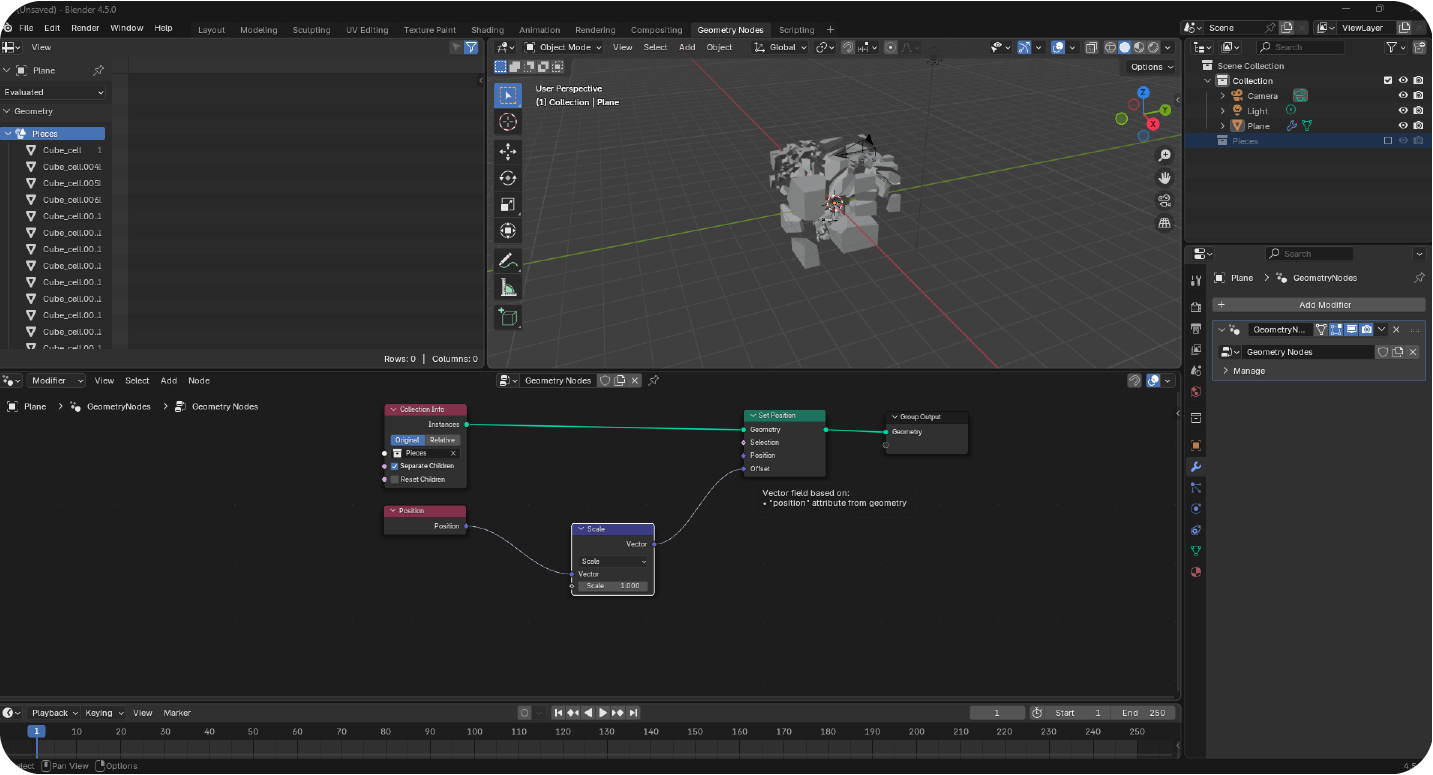
One of the features of cell fracture that could be used in a 360 VR environment is the control of the direction of the explosion, and depending on where the user is standing during the cell fracture, they could see different particle effects at different angles. Potentially this control of explosion shape could direct a user’s view to a specific object or direction to further the narrative of the experience.
A particular issue I overcame included the size and range of the explosion being contained to a really overt circular shape, which looked inorganic and not very immersive, and the unexpected result could trigger VR sickness.
I had to adjust the settings of the ‘from max’ value on the map range module in geometry nodes, to expand the range of the cell fracture; this made the distribution of the exploding particles look more natural for the user.
UX Design Institute states on replicating real life expectations:
“According to Leon Zhang writing for UX Collective, spatial interaction design in the VR world is how the world really functions. In other words, users don’t need to learn to sit on a chair or grab a sword; they already know from experience. UX designers just have to replicate that experience” C Vinney (2023)
Therefore more organic reactions in objects, (which will be expected due to real life heuristic expectations), could help prevent VR sickness from unexpected visuals that don’t corroborate with real world knowledge and experiences, as well as creating a strong feeling of presence in the user, as well as trust.
I also experimented with sculpting a tree in blender for my project, as i wanted to have ago with making something in the 360 environment, as well as playing with naturistic lighting and camera movement.
Music Visualiser Exercise
During this set exercise, I followed a tutorial on how to make a 3D music visualiser.
This could be interesting used in a 360 VR environment as it shows responsiveness to the sound used in the environment, and something like this could be used to create a musical VR experience (for example like beat saber), which represents the music itself in a physical moving form, utilising things like colour and light, to create a unique and interesting VR experience.
Seeing the music moving in this way could also help people enter a flow state:
“The mental state in which a person performing some activity is fully immersed in a feeling of energized focus, full involvement, and enjoyment in the process of the activity.” J. Yablonski (2025) Flow Laws of UX
When used in a musical experience, seeing the physical visualiser of the music in a 360 environment could engage users by having them enter a flow state, and gain interest through the use of colours that could change and even glow depending on the type of music being played.
FrameVR. io
In this session we were asked to create a concept and narrative using FrameVR.io’s online VR environment, to tell a story or evoke a feeling. This space allows designers to externally import assets such as 3D models and images, and gives access to a range of 3D models already included with the software.
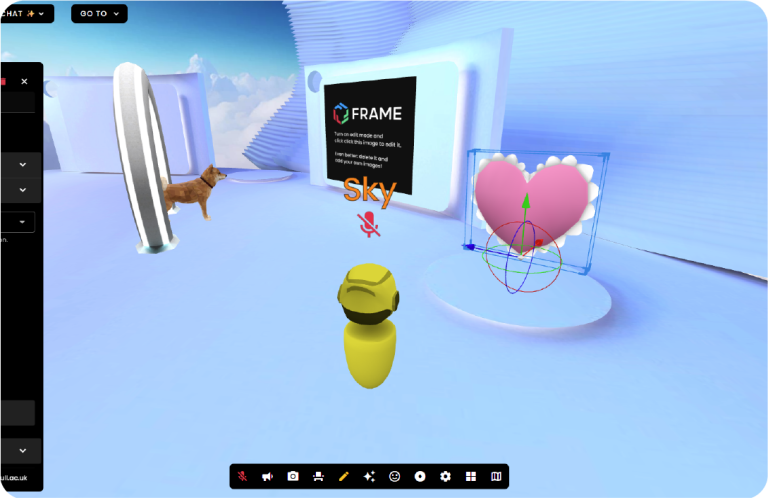
Range of 3D assets readily available to use in Frame VR.io as well as player view and character
The Muder Mystery Idea
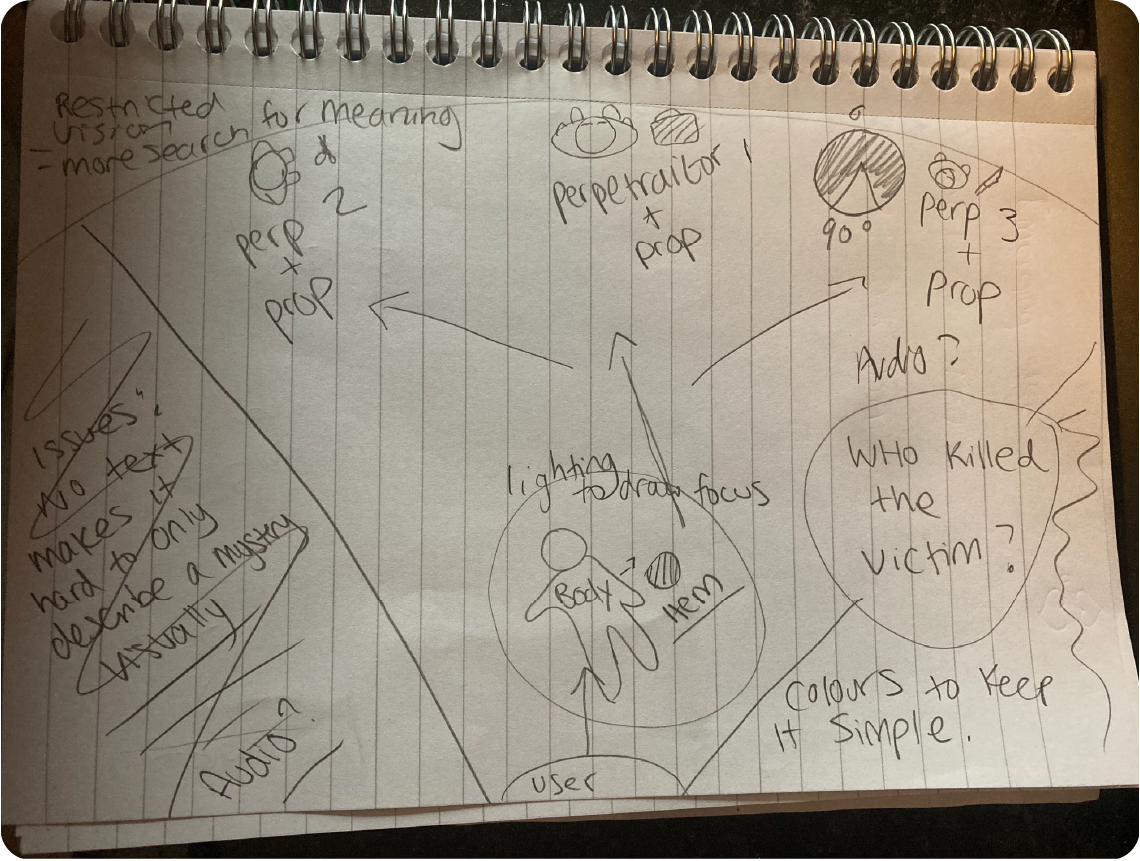
I drew up a storyboard idea for a murder mystery, in which i wanted to use hierarchy and heuristics in the form of visual language such as light, and colour, in order to create an immersive story which invites users to engage problem solving skills, however i realised this would be impractical as just an “experience”, and would really require coding and interactivity to be functional, and decided to create some other story boards for an immersive glade/nature scene.
New Concept
An article by medium states that VR: “Provides a world that is enjoyable to see, live in and interact with while eliminating dangerous or extraneous features or entities that might negatively impact the user experience.”
N Dauchot (2018)
The concept is a 360 nature scene with flowers, trees, and lots of ethereal colours, with the goal of giving the user a beautiful experience that will make them feel awe and wonder, as well as allowing them to explore the scene, to provide fun, and allow the user to engage in escapism from daily life, in a way that is aesthetically pleasing.
Storyboards
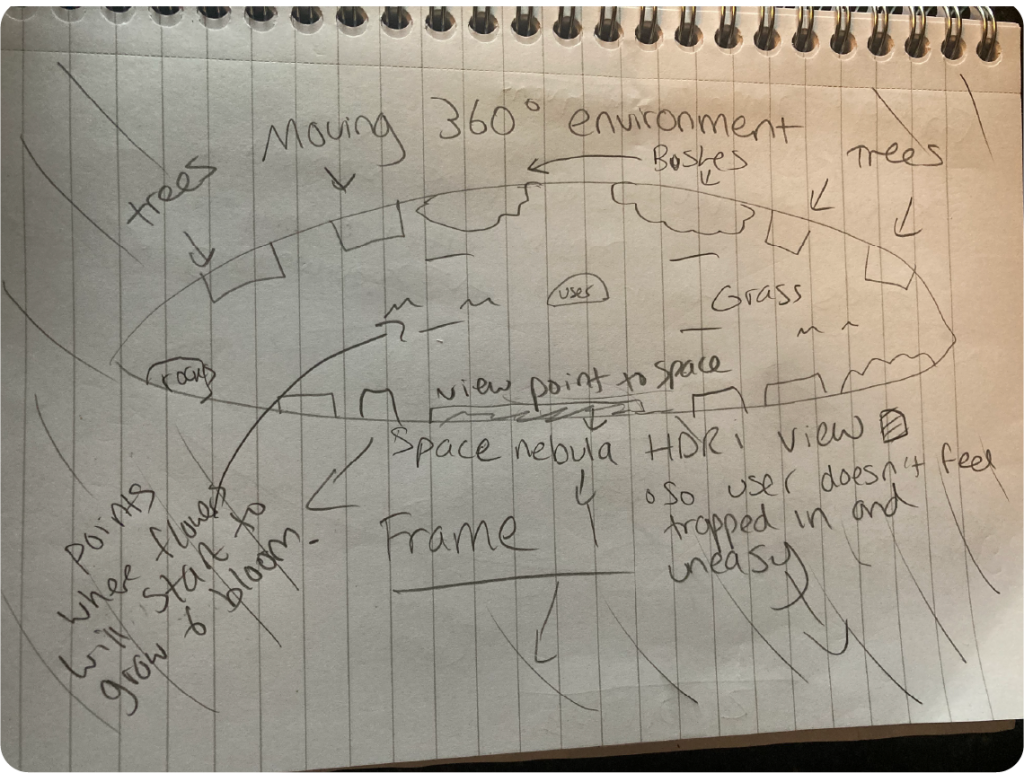
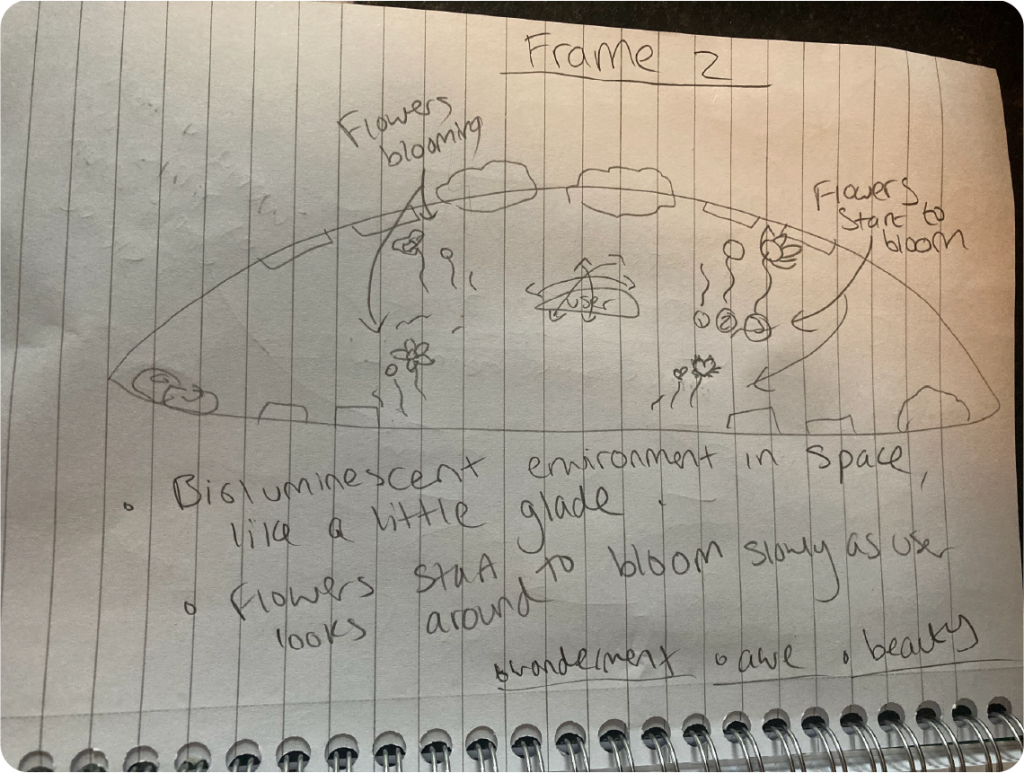
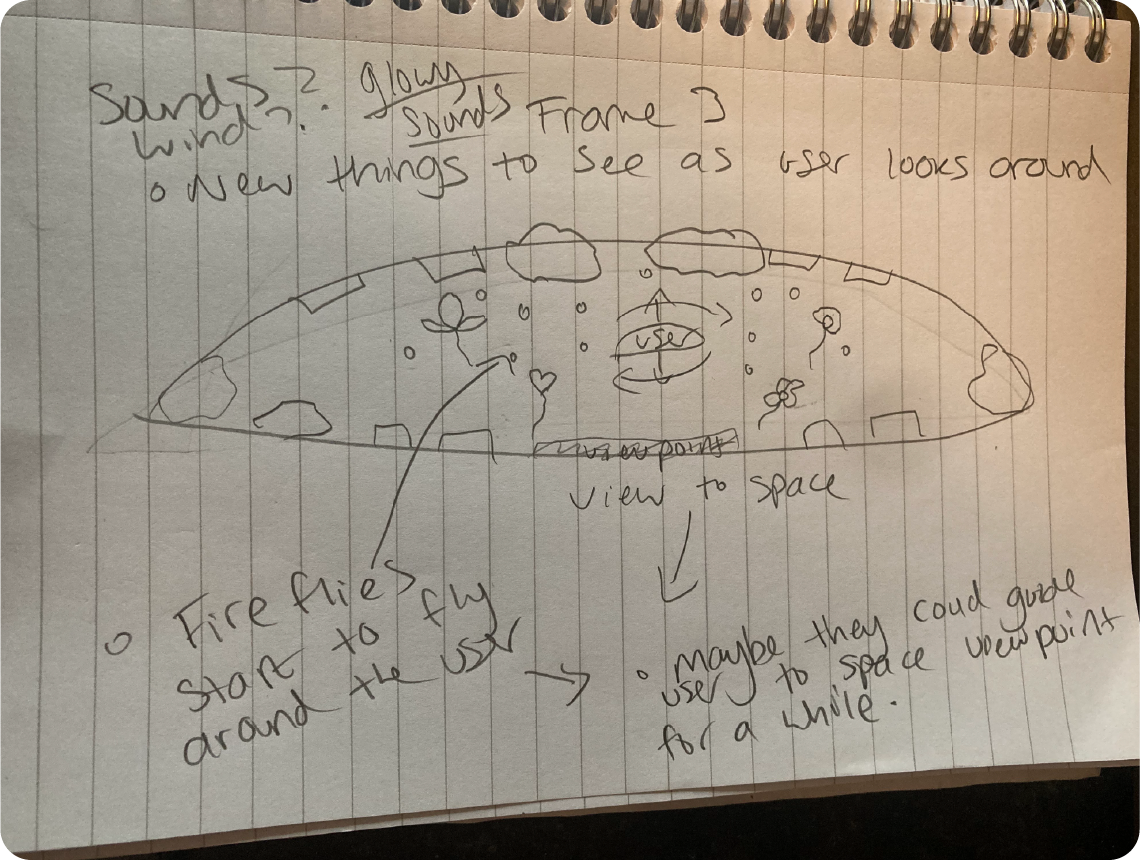
The plan was to have the user will start in the middle of a medium 360 environment, which encourages them to look around in all directions, and view the sky from a view point, giving an otherworldly, ethereal pretty nature experience; my concept, albeit crudely executed at this point in time, is inspired by the game “Fuji VR Gardening Experience”, a game which is based on another planet, rich in colour and unusual flora. B Lang. (2019) Fuji Review
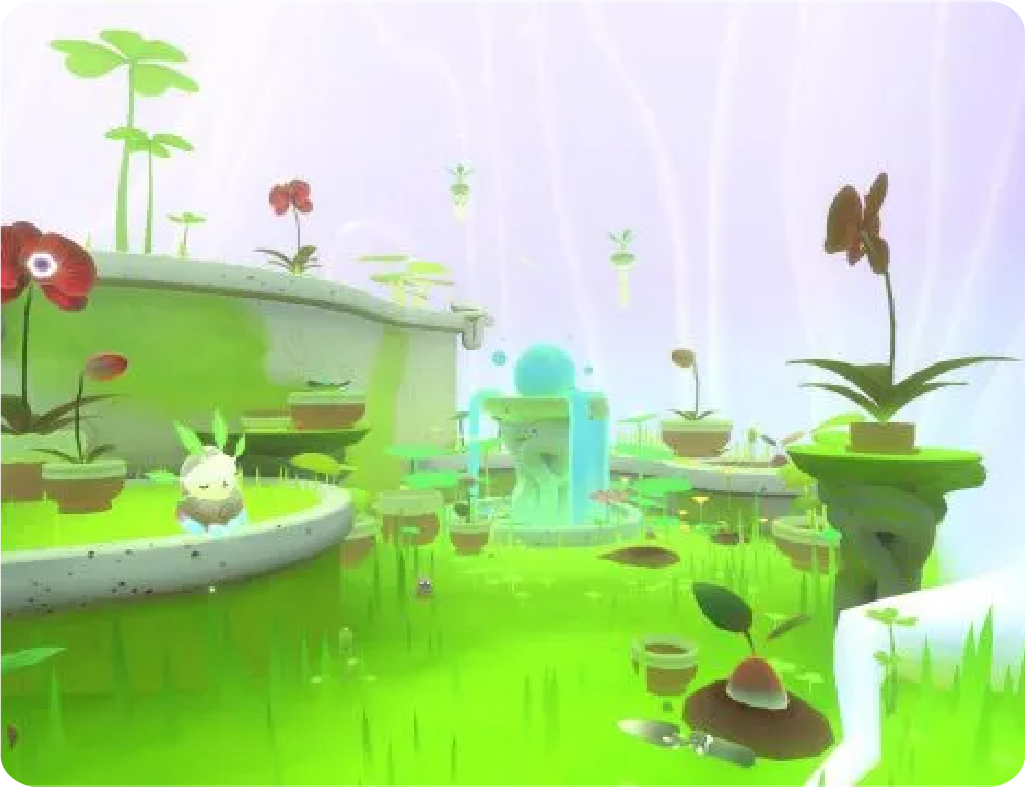
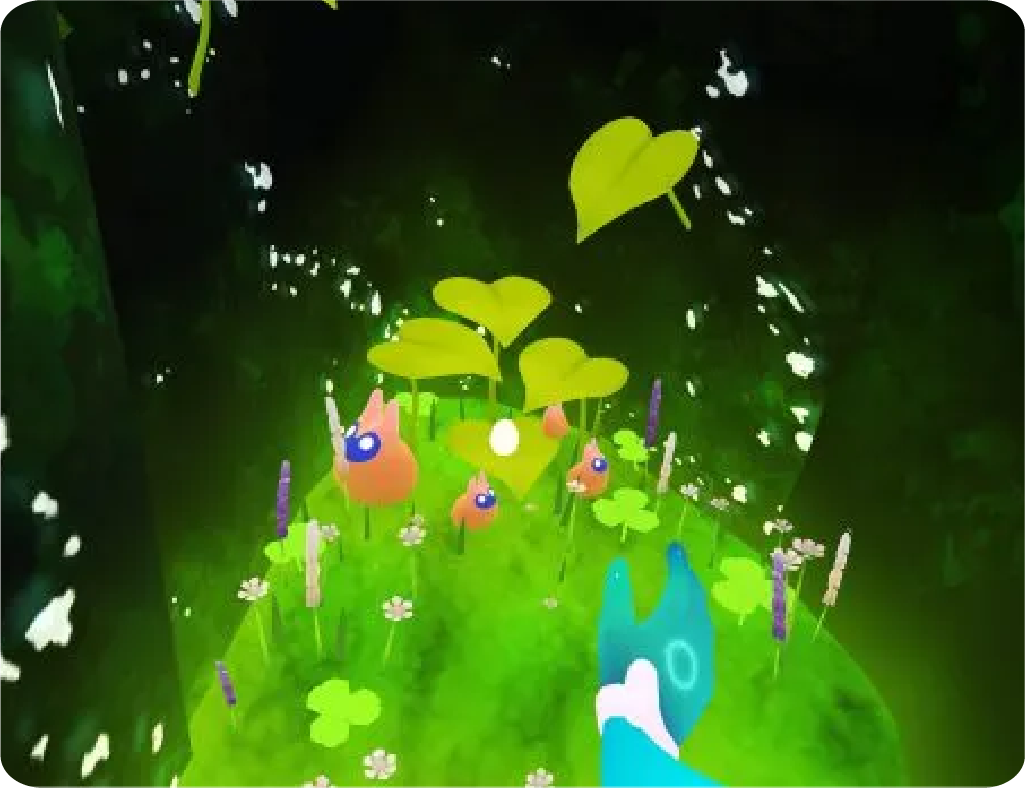
Fuji VR Gardening showing bright colours and ethereal beauty. B Lang. (2019)
My Scene
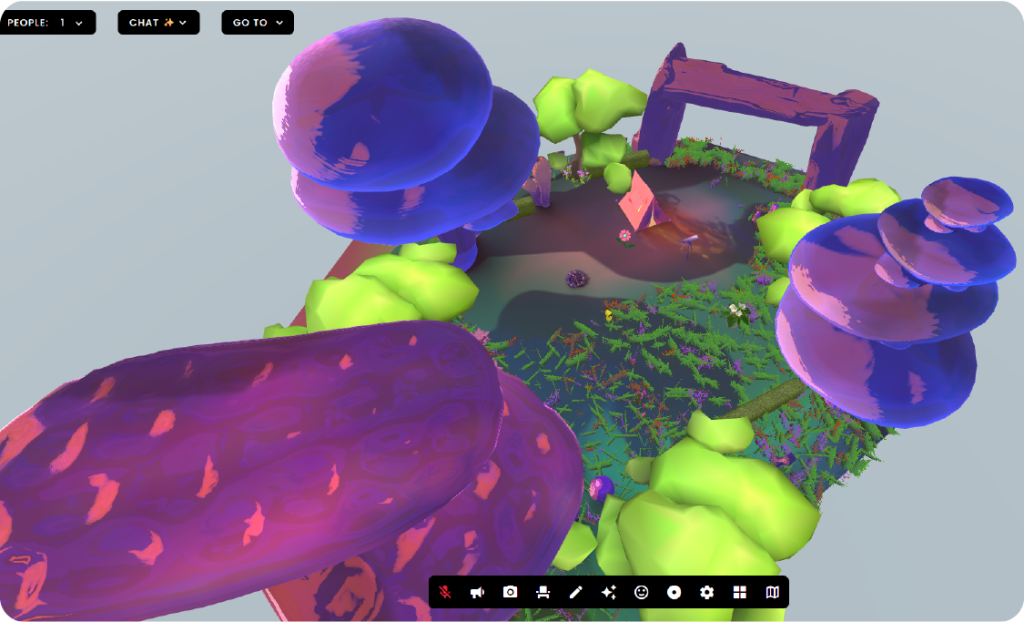
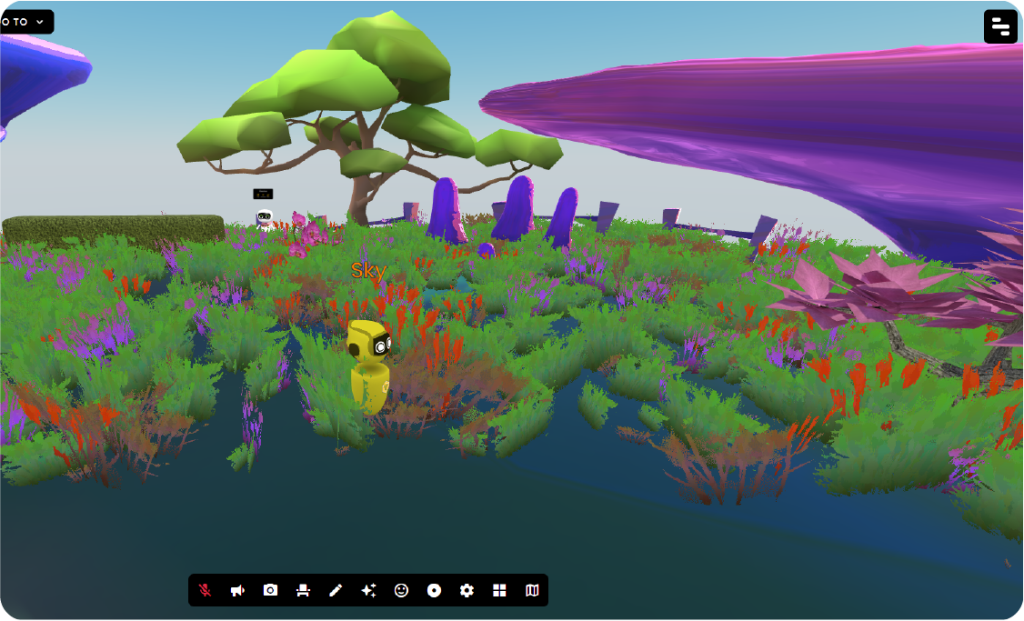
The prettiness of the environment could help to engage users more efficiently due to the design law “Aesthetic-Usability Effect” (Kurosu and Kashimura), making the person want to spend more time exploring the 360 environment because of its enjoyability, therefore making it easy to spend time using.
“Users often perceive aesthetically pleasing design as design that’s more usable.” J. Yablonski (2025) Aesthetic Usability Effect.
Furthermore, frame VR.io also allows for multiple people to join, making it a social experience, and therefore more enjoyable, and using the environment space in a way that is familiar to real life; also another benefit of frameVR.io is having the 360 environment in a small scale circle, which could allow people to search for other instances of provided animations or assets in the experience, causing them to move around and explore, as described in the Law Of Common Region:
“Elements tend to be perceived into groups if they are sharing an area with a clearly defined boundary.” J. Yablonski (2025) Law of Common Region
This can be shown in the four instances of flowers i placed surrounding the user in my scene for this exercise.
Immersive User Experience (UX) and Augmented Reality (AR)
Augmented Reality, according to IBM, can be defined as:
” Augmented reality (AR) refers to the real-time integration of digital information into a user’s environment.” M. Hayes. IBM.
AR has a range of functions, from educational, to commercial functions such as the Ikea Place App; It can also be recreational, for example Pokémon Go, and for use in advertisements, much like the famous “Burn The Competition” Burger King Campaign, which saw users getting their phone cameras out on Mcdonald’s ads to see a VR animation of the billboards going up in flames, in order to be replaced with Burger King Vouchers.
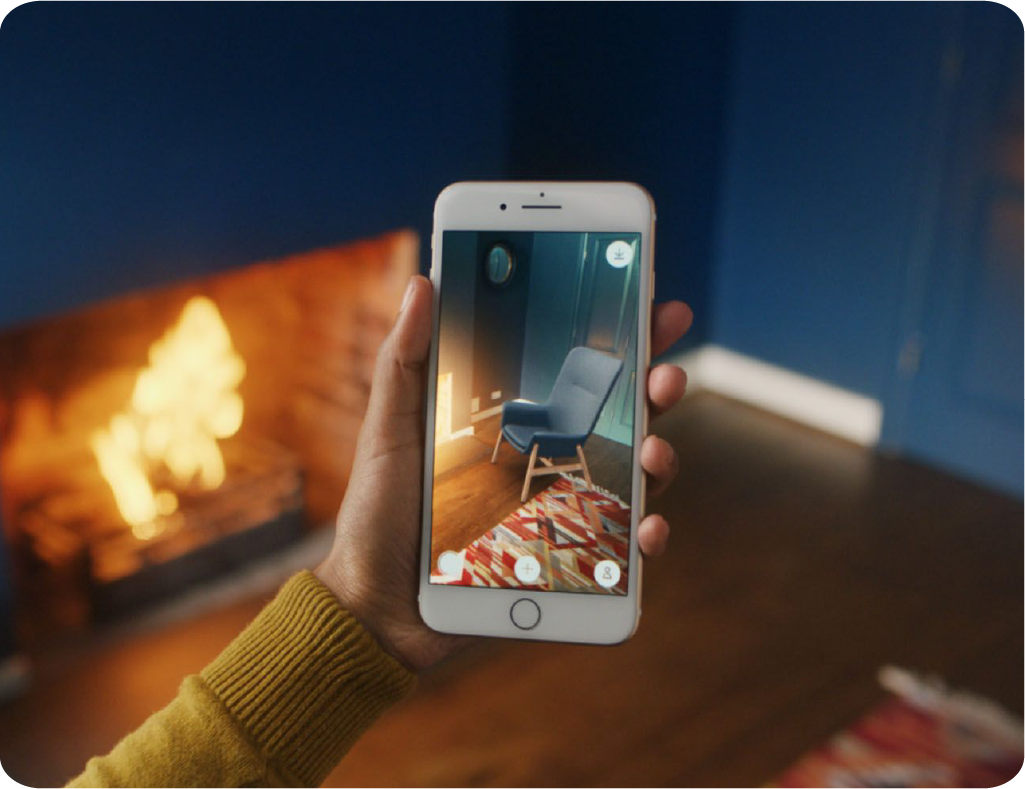
Inter IKEA Systems B.V. 2025. Launch of new IKEA place app.
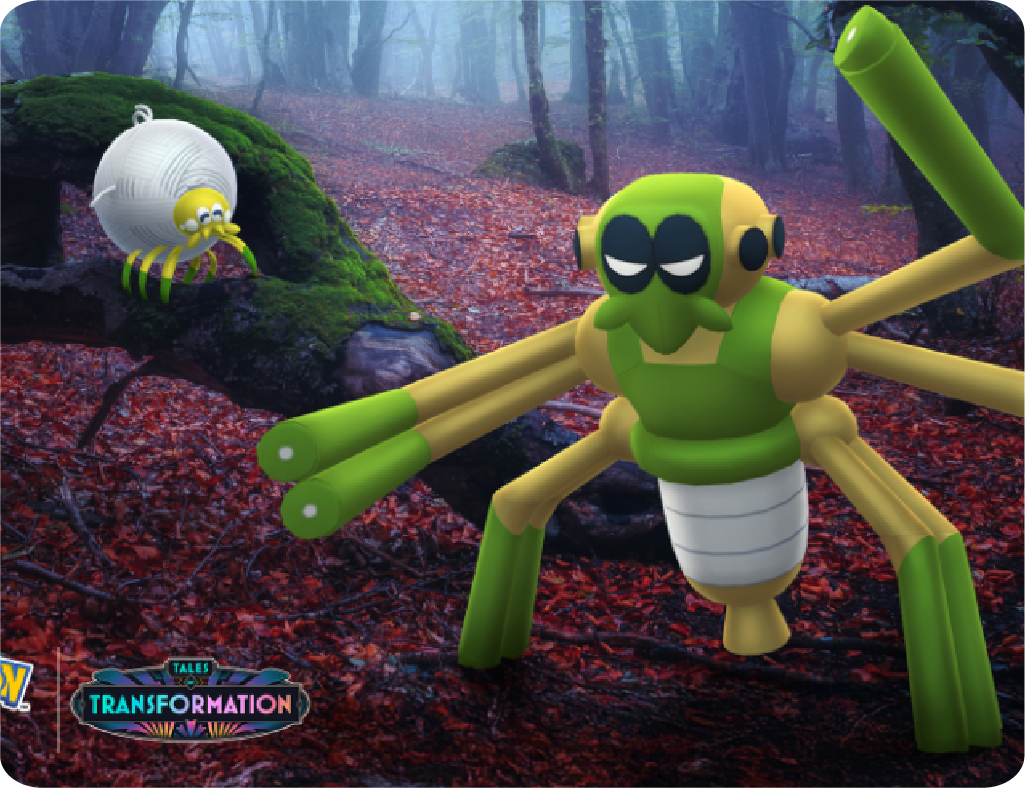
Pokemon Go (2025) Tarountula and Spidops
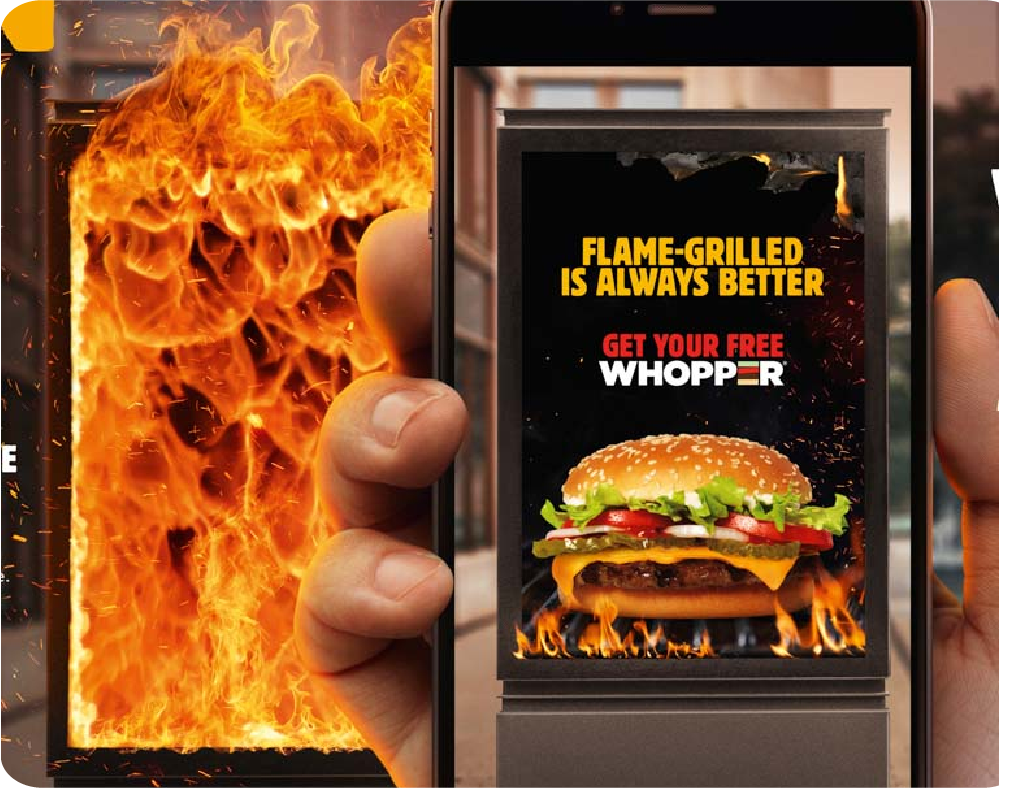
That One Club (N.D.) Burger King Brazil Burn That Ad.
Bounce Physics Tutorial and The UI/UX Benefits of AR
In this exercise i created some basic 3D models in 8th Wall, including a ball, a capsule, and a plane, and applied the physics collider component to all of them, to allow for a drop and collide animation, replicating physics that occur in daily life such as bouncing, rolling, and shadow projection. This animation can be accessed through scanning a QR code on your phone, and uses the World View of a phone camera, to place this animation into people’s real life spaces.
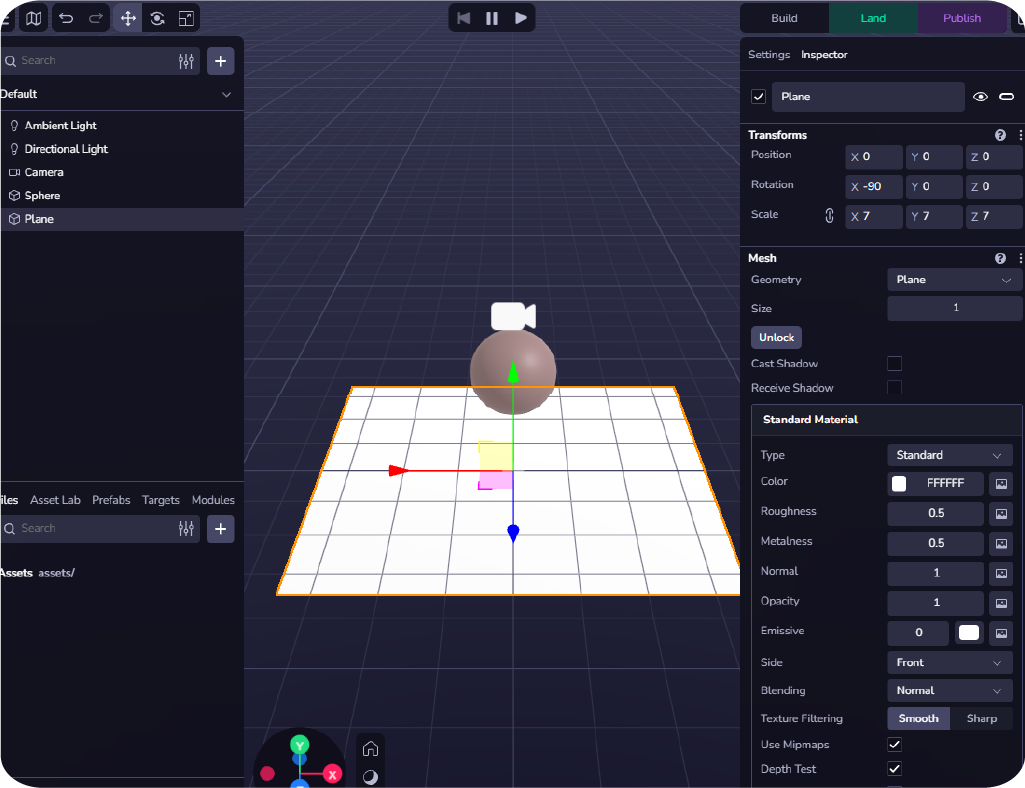
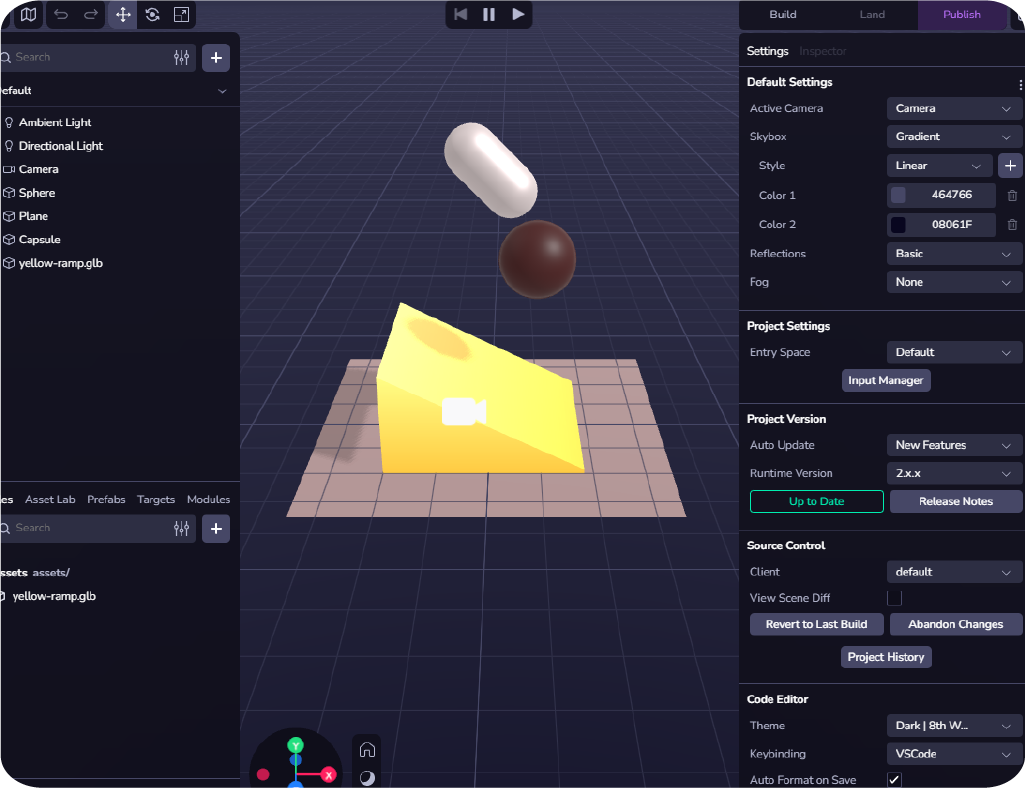
One of the principles of AR UI/UX speaks on Contextual Integration, which is where things like physics colliders and occlusion can be utilised on 3D assets, to provide a more naturalistic experience for users.
“The integration of AR environments should feel natural within their physical context. Virtual objects must align with the natural world in believable and functional ways.” They Make Design (2024) Medium.
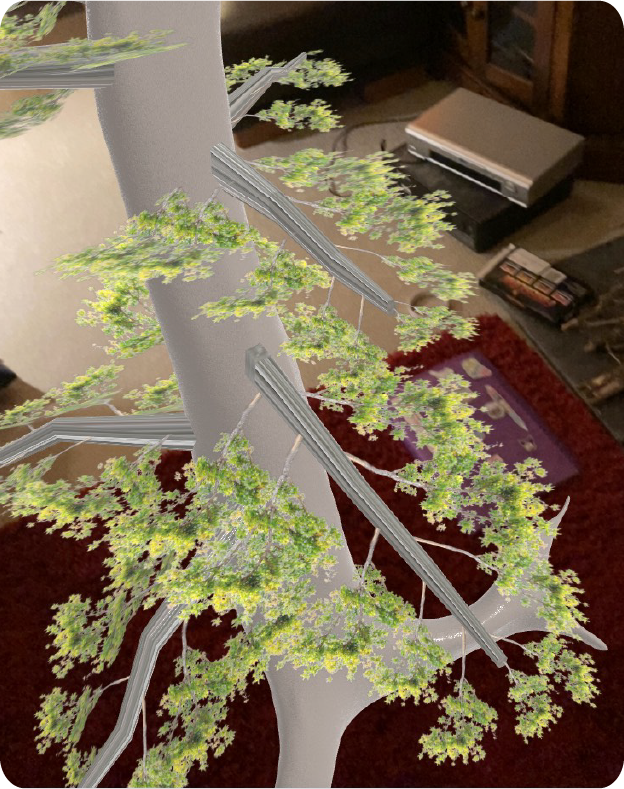
A Tree In Your Own Living Room
“AR experiences provide more immersive and interactive experiences for users.” Engine Creative (N.D.).
This leads to increased engagement, where things like advertisements can become interactive and sensory;allowing people to interact with assets in their own living room, as well as providing the experience of wonder, which also translates very well through social media, as people want to share what they have experienced, and this allows people to actually advertise for the company at hand.
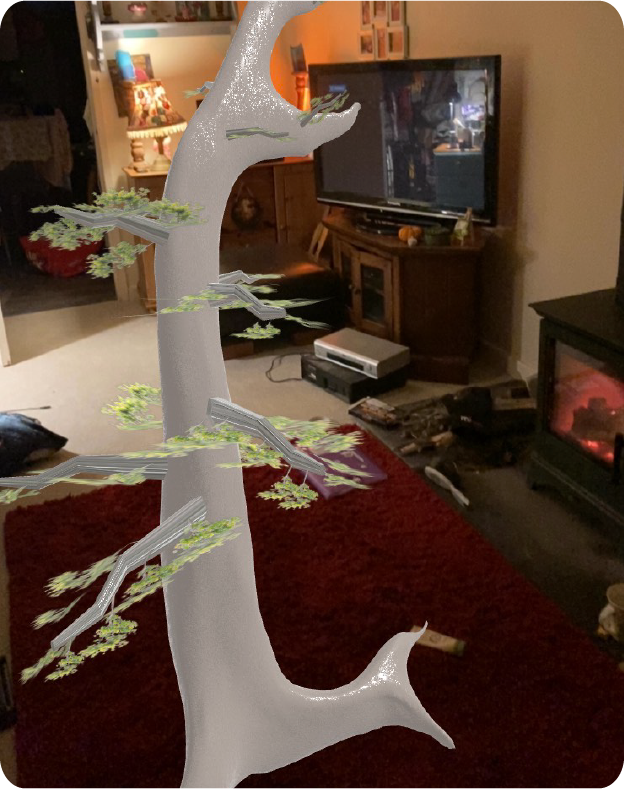
Due to this I decided to use a tree I modelled in blender, and see how well it would fare as a VR World View experience in my own living room. I did experience some trouble with textures not carrying through into 8th wall due to it only allowing for simple BSDF textures,and some bumps on the branches, however it is a good example for what could be achieved with 8th wall.
Immersive Art
Open brush is a versatile VR software which lets you paint in a 3D space with a variety of different brushes and effects:
It can also be used for the planning processes in design such as storyboards and spheres, and could function as a tester for UI//UX from early design stages, testing things, such as visual hierarchy and object placement.
In this class exercise, I used the Meta Quest 3 VR headset to get first hand experience using Open Brush software. During this time, I got to grips with the user interface as it was my first time using a VR headset, as well as Open Brush. I first experimented with the glow brush which is automatically the first selected brush at your disposal, to get used to the controls and painting in a 3D space, which was quite disorientating.
I did this in short bursts as I did feel quite sickly when taking the headset off. After this, I decided to flip through the brush options to select a thick paint,and used the right controller to adjust brush sizes using the analogue stick; I decided to do a crude version of Van Gogh’s Starry Night to get used to working in the 3D space. I used a mix of colours to layer energetic brush strokes for this little scene. I did, however, find it difficult as the depth is never consistent due to the nature of the software.
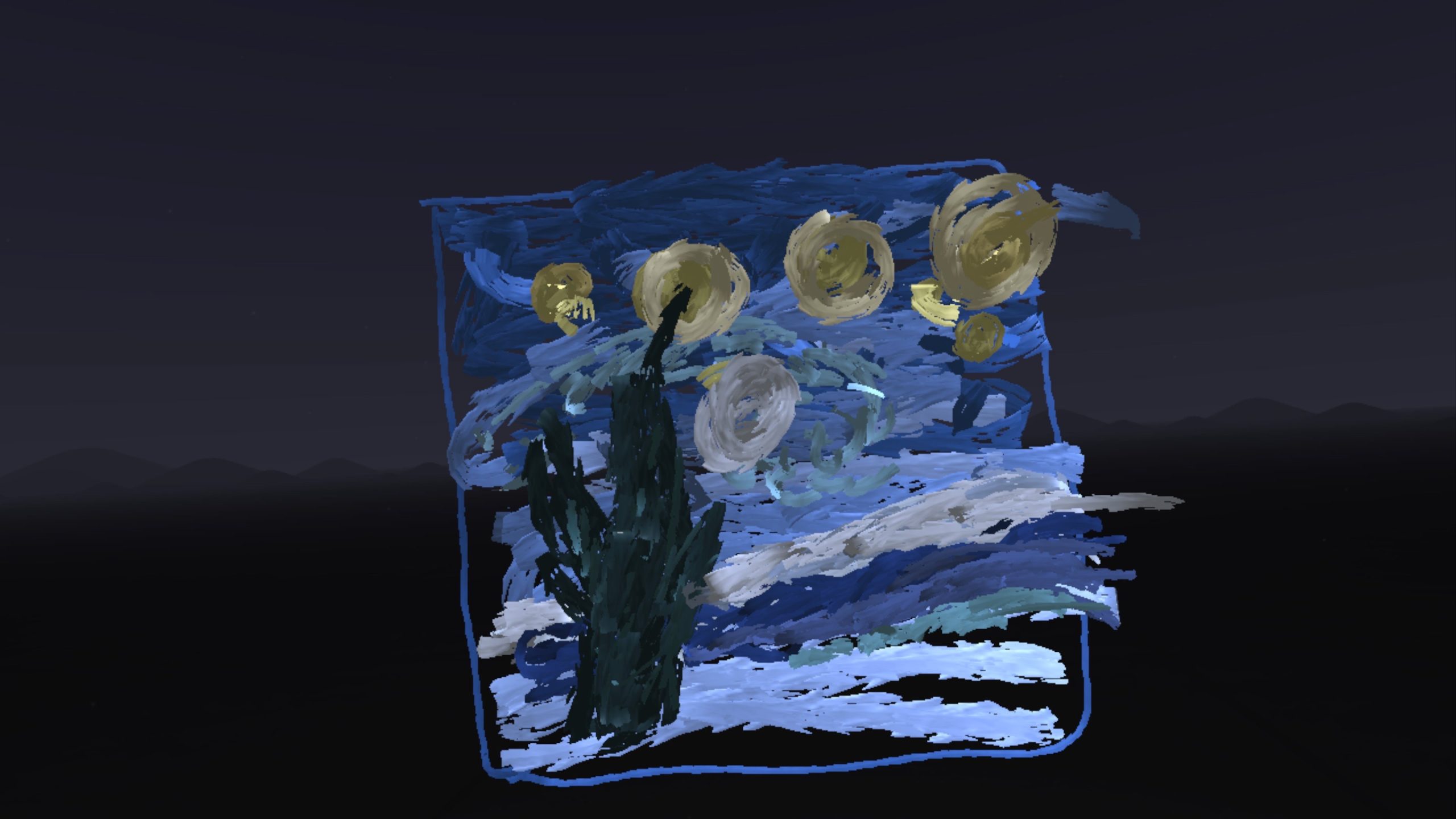
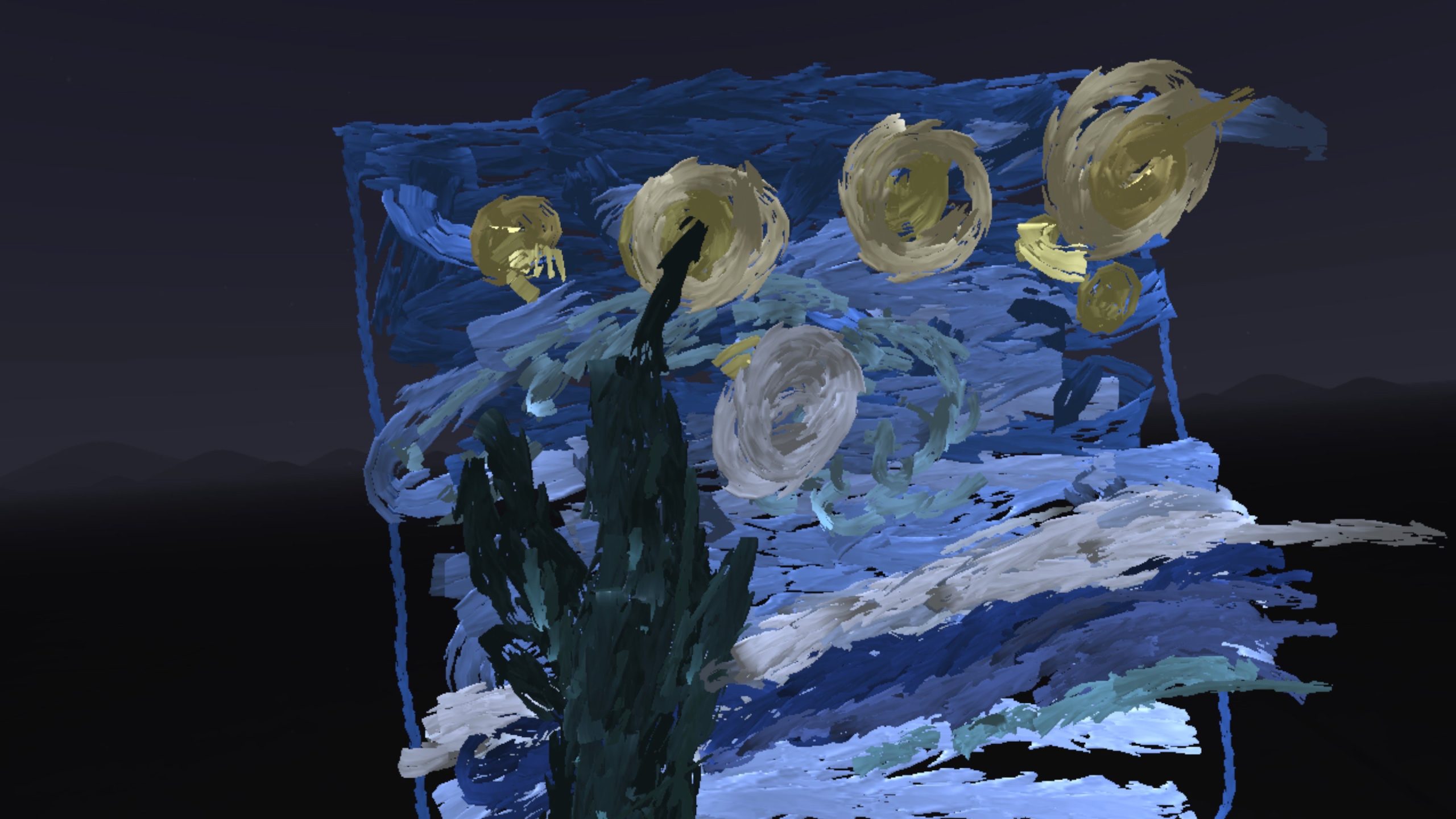
I can see how this software could be useful to graphic designers, particularly those in games design. Using Open Brush allows the designer to experience potential user heuristics in a rough draft, and allows for the use of User Centered Design throughout all parts of the design process, putting the user first, and seeing how they will react and use the design at hand, before going to the next step; Using Open Brush could also help save money in the process of design, and save some time iterating the process further down the line.
Another VR Art software includes Gravity Sketch, a software which allows for collaboration on various design projects within a 3D environment.
Gravity sketch is a good tool for creating diagrams for design processes, e.g, engineering, vehicles, fashion, UI/UX, as well as storyboarding, wireframes and quick sketches. In addition to this, it can be useful for working from different locations around the world, as all team members can be in the same space and at the same time, to design and collaborate on a project.

Gravity Sketch Website (2025)
Gravity Sketch states: “Regain time from future rework by validating product ergonomics and proportions at 1:1 scale in VR. Test experiences and assess fit, placement, and accessibility with human factors experts.” Gravity Sketch (2025)
It also allows designers to actually see the 3D results and components of their design/engineering, in order to get a better look at what the physical result will look like, and then make adjustments earlier on in the design process, therefore saving money that could be lost when designs don’t function as expected, or look as expected when brought from 2D to 3D.
Research Overview
What will I be creating?
I want to create an immersive VR 360 experience using blender that puts the user in a small biome of naturalistic bioluminescent landscape, in which they can explore and see the unusual flora; The experience will have a pathway which the user can follow, but also leaving the beaten path is encouraged due to this being expected of human heuristics, and will have clearing areas which will contain easter eggs to discover.
According to Demand Sage “Over 171 million people globally use VR technology”, and “The VR market size is expected to reach $67.66 billion.”, which means people could turn to VR for escapism more and more in the future; I want to create an experience which keeps up with the growth in emerging technology. N.Kumar (2025)
Demographic
According to Medium:
“Nearly half of VR users fall into the age brackets of both 18–34 (47 %) and 35–54 (47 %). Even the 55–64 age group is starting to dabble, making up 6% of users. Men may still dominate this playground with a 60% majority, but female Users aren’t far behind at 40%.” Atopia, Medium (2023)
Due to this, the demographic for my immersive experience will be 18-54, as research shows that this is the largest percentage of VR users. In addition to this, the target audience will be gamers, as it can also be seen that a love of gaming accounts for “53% of VR purchases” Atopia, Medium (2023).
Purpose
The purpose of this project is to create a 360 immersive VR experience using blender, that makes good use of emerging technology, to keep up with an ever growing entertainment industry; The project also aims to apply good use of UI/UX, to immerse users in an experience which evokes joy, surprise and wonderment, as well as being aesthetically beautiful, accessible, usable, and memorable.
The Space states on what people want from immersive experiences:
“Unlike traditional storytelling, which conveys a clear and strong narrative to the audience, storydoing invites the audience to actively participate and create their own narrative – a story to take away with them.” C.Allen (2024)
The purpose of this immersive experience is to allow the user to actually physically feel like they are in the VR environment, and allows users to take part in a recreational experience, which invites them to be a part of the story, and lets them to create their own narrative about this alien planet, having fun and experiencing joy at the same time.
UI/UX Considerations
Due to the recreational nature of the immersive experience, the UI/UX will reflect this at each stage of the project’s design process. It will be focused on human centered design, that is accessible, and takes into account not only the layout of the space, but what people are inclined to do in terms of behaviours such as curiosity and inquisitiveness. Some of the UI/UX considerations will include Heuristics,Gestalt Principles, and Cognitive bias, E.Stevens (2024).
Heuristics
The Aesthetic Usability Effect:
“Users often perceive aesthetically pleasing design as design that’s more usable.” J Yablonski (2025)
In this way, and because of the recreational nature of the project, the main focuses will be on usability by way of visual hierarchy, for example the placement of assets to guide the user, and the aesthetic quality of the experience. Henceforth, the intended result of utilising this design law, is with the intent that users will find the environment not only fun and beautiful to be in, but pleasant and easy to use because of its aesthetics and layout.
Hick’s Law:
“According to Hick’s Law, the more options a user is presented with, and the more complex those options are, the harder it is to make a decision.” E.Stevens (2024)
Visualising the 360 environment as a smaller space for my project, allows for less variables in direction, layout and goals, making the experience more streamlined, and less overwhelming for the user, as opposed to it being a massive open world environment like in a game. Using a smaller space for the experience removes the complexities of having too many choices, and the potentiality for confusion with the visual hierarchy created by too many objects.
I will utilise the environment by using the clear directional marker of a pathway, to lead the user to a view point, and around the perimeter of the environment; however, i will also create two clearing spaces containing easter eggs, to allow users to explore away from the beaten path, but they won’t be able to get lost as they might if presented with too many options. Using Hick’s law in this way could also allow users to express if they were to want a full version of this experience as a game in future (theoretically), and for developers to experiment with certain aesthetics, layouts, and stories.
Gestalt principles
Law of common region:
“Elements tend to be perceived into groups if they are sharing an area with a clearly defined boundary.” J Yablonski (2025)
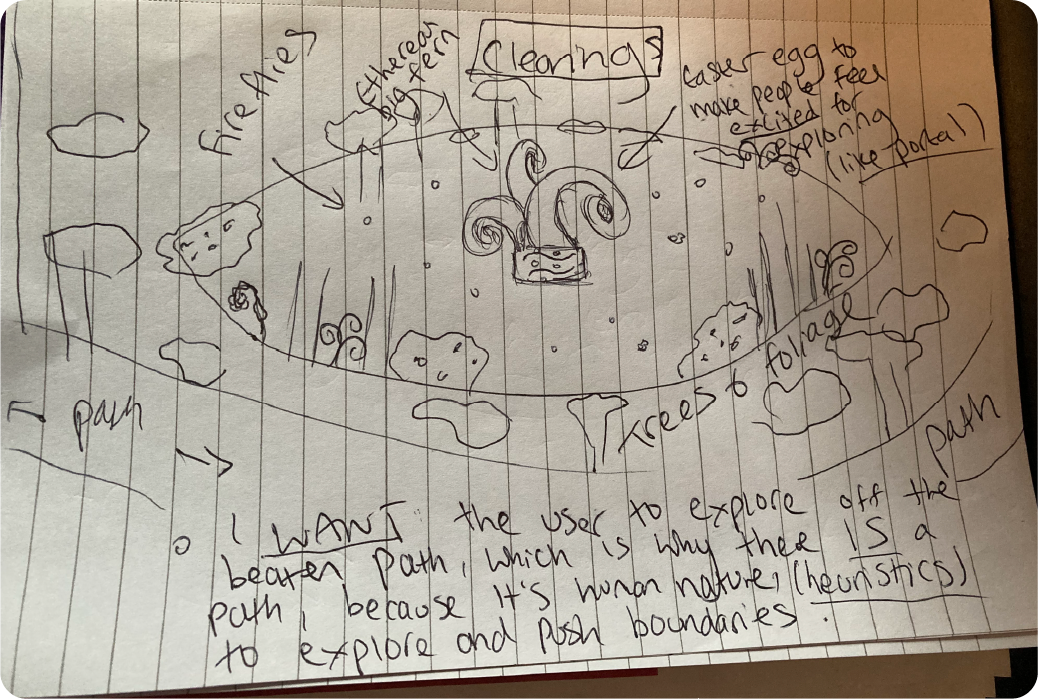
I will use the law of common region to encompass the “clearing spaces” in the environment within two circular spaces, so the user can know that these two spaces are not only meant for exploring, but that they house two facets of the experience which are in the same category, (easter eggs); these clearings will share the area of the entirety of the environment, but will be clearly defined by their circular boundary. In doing this, the UX should become clear for the user that they are expected to leave the pathway to explore, and that the assets within this circular boundary belong together, e.g, fireflies, a giant fern, flowers, or alien artifacts.
Cognitive bias
Peak-End Rule:
“The Peak-End Rule suggests that people don’t judge an experience based on all the different moments along the way, rather they judge it primarily based on how they felt at the peak of the experience and at the end.” E.Stevens (2024)
UX institute also states that you can utilise peak-end rule by leaving the user “with memorable microcopy, a delightful animation, or some kind of unexpected surprise” E.Stevens (2024)
In using the peak-end rule, I want the user to remember their experience through two specific points; the peak, and the end. This works on the heuristics of players in that they will first follow the set path to the view point (peak), and then stray from the beaten path to explore and then find the easter egg clearings (end), leaving the user with a beautiful memory and experience, which is encompassed by the peak moment and experiencing a hidden surprise which was more than they expected in the beginning when seeing the beaten path.
Accessibility
According to Medium: “Avoiding sudden movements or jarring transitions can contribute to a more comfortable experience for users with motion sensitivity.” C.Flanders (2023) Due to this, my project will not have any harsh movements, transitions, or anything that could make a user feel uncomfortable, to try and prevent motion sickness for those who experience it in a VR environment.
In addition to this, the project will not have any sudden objects that would cause a person to jump, or become uncomfortable, e.g. objects coming towards the face or eyes. In addition to this, the limited space, clear set path, and use of Hick’s Law could help neuro-divergent people who feel overwhelmed with too many options, as well as help with overstimulation, and try to prevent sensory meltdowns.
Another accessibility that the immersive experience could help with is mobility, as
“VR controllers have developed into using one controller in each hand. They often have an emphasis on motion controls, like mid-air motions, requiring more physical ability than normal controllers or keyboards” F. Heilemann, G. Zimmermann, P.Münster (2021)
Whereas because this is an experience which requires minimal user input and doesn’t require physical movement, it can be more accessible for those with mobility issues; the use of the experience being in Youtube means that the experience can be had sitting or standing, in order to be as inclusive as possible for those with physical disabilities.
Project Milestones
Storyboards
In this section I will be discussing my storyboards, and concept art relating to environment layout and assets.
Downward View Sketch

Here I have drawn a downward view on the entire map of my VR experience, showing the players starting place. The user will start on the opposite side of the circular map to the view point, and the user can follow the trail while experiencing all the trees and plants, until ending up at the view point, which will encompass a point where the user can admire the nebula/space HDRI, as well as view an alien planet in the distance, to create a feeling of awe.
The diagram also defines where the two clearing spaces will be on either side of the path which the user can choose to explore of their own volition, as adhering to the peak-end rule.
Story Sphere
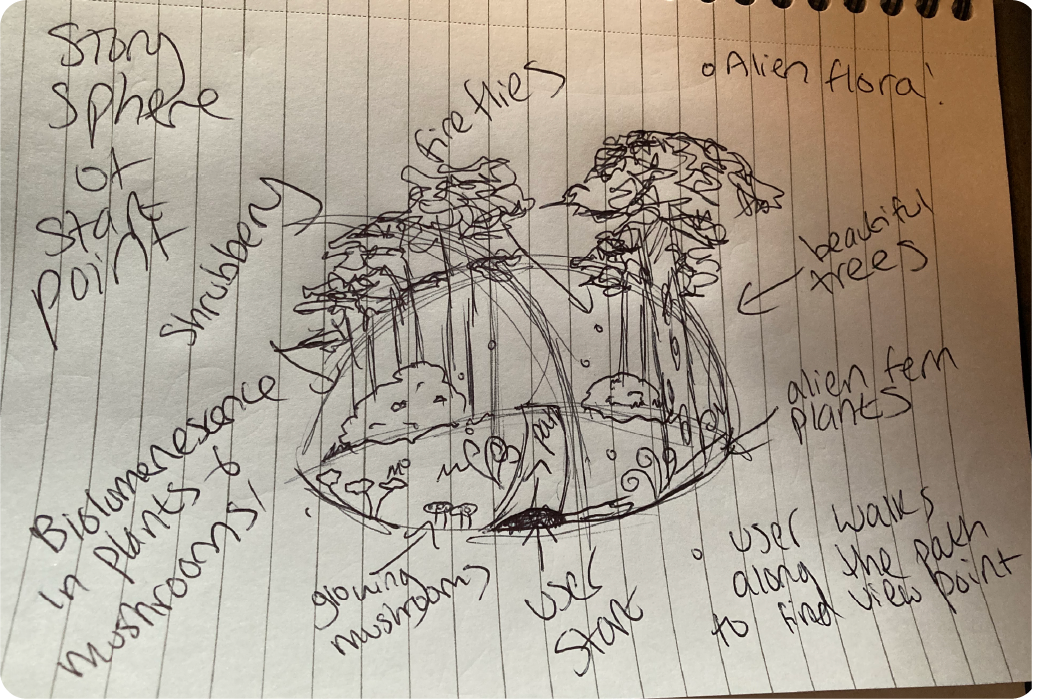
This second concept sketch shows the circular layout of the clearings,including the focal point, the easter egg, a giant fern in the middle, as well as fireflies and other plants. These sections will be a break from the overall nature scape, and are to be interpreted as potential story, with the fern as a point of curiosity for the user; these clearings could also contain things like old stone tablets and artifacts, leading to players to speculate about potential life existing on this ethereal alien planet. In addition to this, they will serve to make the user feel excited about discovering something that they didn’t expect at the start of the experience. It is expected that the user leaves the path to discover these clearings, but they are totally optional for the user.
The View Point
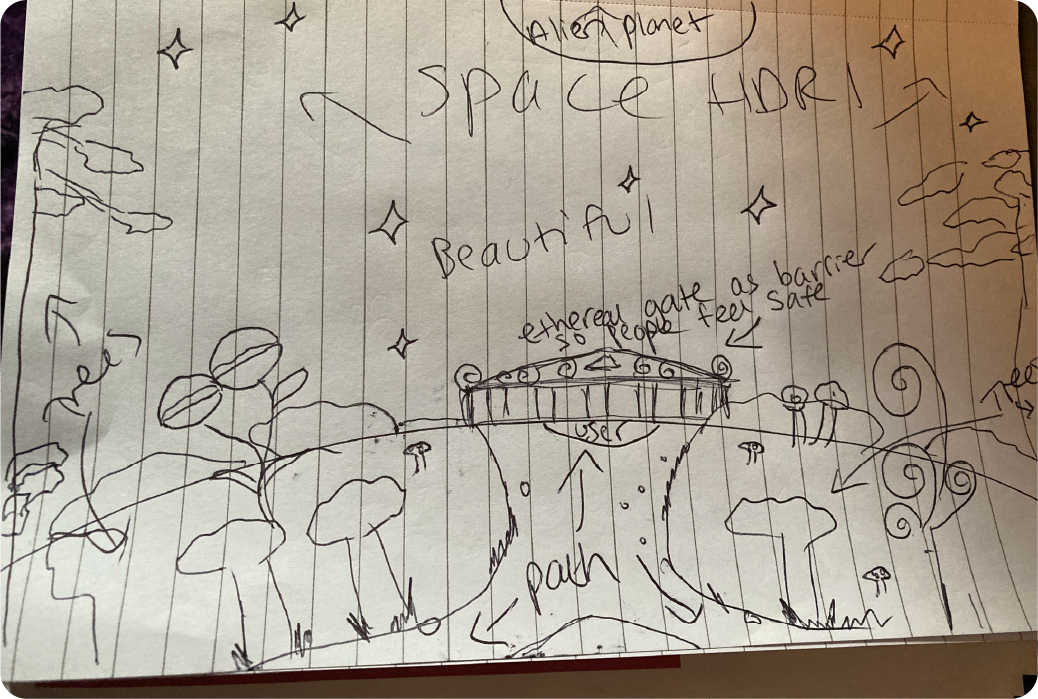
This third concept sketch details the view point that the user will reach after having followed the pathway. It shows a gate, giving the user a balcony style experience, and I considered the effects on the user of coming to the edge of the map and looking out at space. I concluded that this experience could easily become quite daunting and unsettling, with a feeling of being too high up, or that they might “fall off” the edge of the world, and so decided to implement some kind of stylized barrier which acts as a grounding object and making the view point more accessible for users. When the user reaches the view point, they can stop to admire the view of the nebula HDRI, and view an alien planet far away in space, to give them a feeling of awe and joy.
Clearing Layout
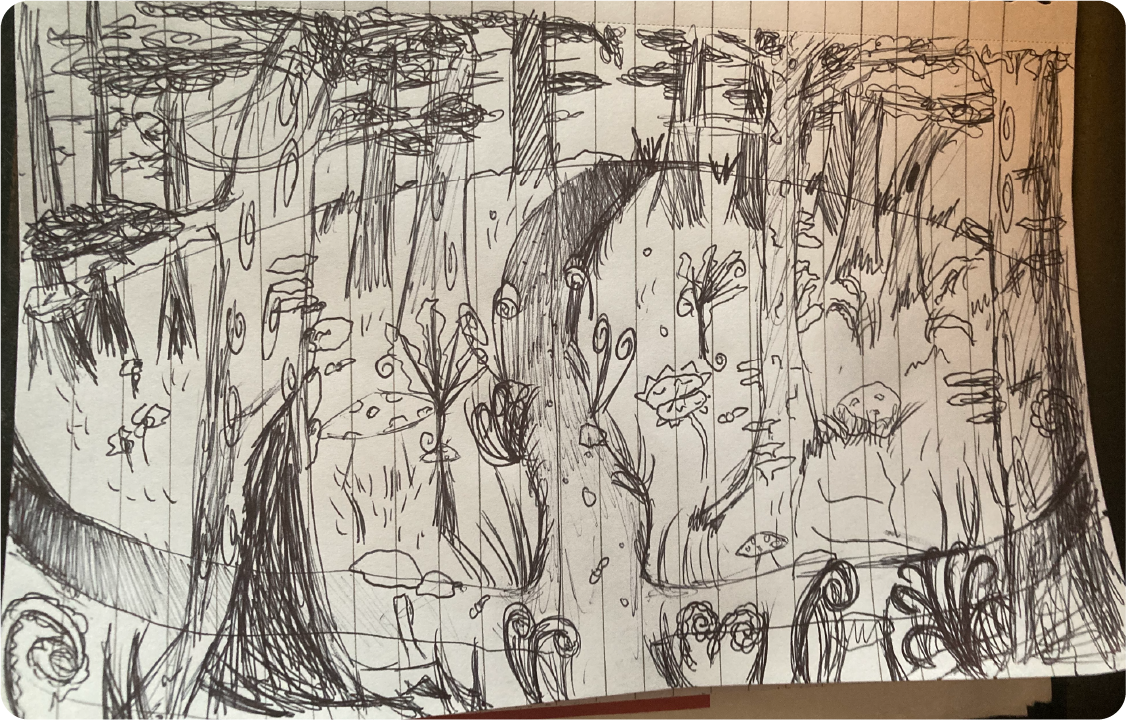
Above is a story sphere of the environment, showing the path, trees, fireflies, and shrubbery, and has written notes about the use of bioluminescence to make the experience more beautiful for the user, as well as beautiful trees and alien flora adding to the experience. I think the use of story spheres are particularly useful for a 3D environment such as this.
Storyboard
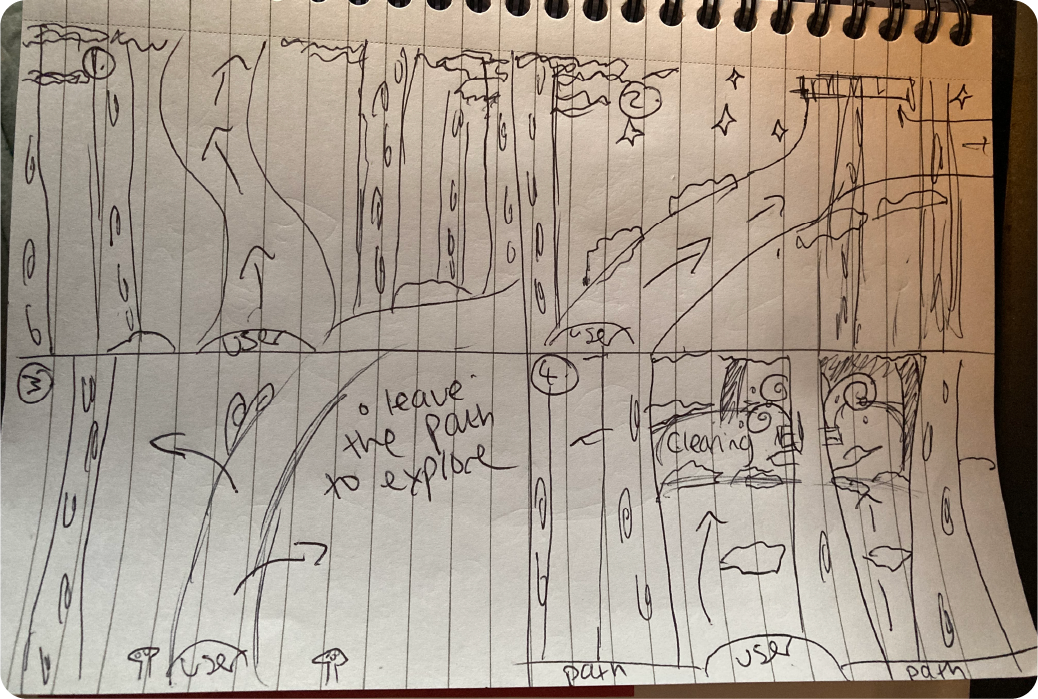
Here I have drawn a storyboard detailing four panels, showing the user’s journey from the start point of the map, to the view point, and then takes into account the user exploring to find the clearing easter eggs.
Concept Sketch
Harvard References
A Kendrick (2021) 10 Usability Heuristics Applied To Virtual Reality [Blog] Nielsen Norman Group. https://www.nngroup.com/articles/usability-heuristics-virtual-reality/ [Accessed 06/10/2025]
Atopia (2023) Who’s Really Using VR these days? Six Data-Driven insights into today’s VR User Demographic. Medium. https://medium.com/@annabell_37704/whos-really-using-vr-these-days-six-data-driven-insights-into-today-s-vr-user-demographic-422372a75c8c [Accessed 03/11/2025]
B Lang. (2019) Fuji Review [Blog Post] Fuji Review-A Serene Journey Ripe With Discovery. https://www.roadtovr.com/fujii-review-oculus-quest-rift-vive-index/ [Accessed 02/10/2025]
C.Allen (2024) What audiences want from immersive experiences. The Space. https://www.thespace.org/resource/what-audiences-want-from-immersive-experiences/ [Accessed 04/11/2025]
C.Flanders (2023) Accessibility in VR: Designing Inclusive UI/UX Experiences for Virtual Reality Environments. Medium. https://medium.com/design-bootcamp/accessibility-in-vr-designing-inclusive-ui-ux-experiences-for-virtual-reality-environments-1a018faf80c8 [Accessed 03/11/2025]
C Vinney (2023) UX for VR: Creating Immersive user experiences [Blog] UX Design Institute. https://www.uxdesigninstitute.com/blog/ux-for-vr/ [Accessed 06/10/2025]
- Vinney (2023) What is human-centered design? UX Design Institute.https://www.uxdesigninstitute.com/blog/what-is-human-centered-design/ [Accessed 27/10/2025]
Engine Creative (N.D). Unlocking the potential of AR. https://www.enginecreative.co.uk/blog/unlocking-potential-augmented-reality/ [Accessed 26//10/2025]
E.Stevens (2024) What are the laws of UX? All 21 Laws Explained. UX Design Institute. https://www.uxdesigninstitute.com/blog/laws-of-ux/ [Accessed 03/11/2025]
- Heilemann, G. Zimmermann, P.Münster (2021) Accessibility Guidelines for VR Games – A Comparison and Synthesis of a Comprehensive Set. Frontiers. https://www.frontiersin.org/journals/virtual-reality/articles/10.3389/frvir.2021.697504/full [Accessed 04/11/2025]
Gravity Sketch (2025) Updates to the Gravity Sketch Screen Experience. Gravity Sketch Website. https://gravitysketch.com/blog-post/updates/updates-screen-experience/ [Accessed 13/11/2025]
Gravity Sketch (2025) Home-Gravity Sketch. https://gravitysketch.com/ [Accessed 27/10/2025]
Inter IKEA Systems B.V. 2025. Launch of new IKEA place app. https://www.ikea.com/global/en/newsroom/innovation/ikea-launches-ikea-place-a-new-app-that-allows-people-to-virtually-place-furniture-in-their-home-170912/?assetId=0-1 [Accessed 26/10/2025]
- Torres (2021) Burger King’s AR Campaign “Burn That Ad”. Medium. https://jessicatorres4.medium.com/burger-king-ar-campaign-burnt-its-competition-a9b3584f0f11 [Accessed 26/10/2025]
- Yablonski (2025) Aesthetic Usability Effect. Laws of UX.https://lawsofux.com/aesthetic-usability-effect/ [Accessed 14/10/2025]
- Yablonski (2025) Flow. Laws of UX. https://lawsofux.com/flow/. [Accessed 14/10/2025]
- Yablonski (2025) Law of Common Region. Laws of UX. https://lawsofux.com/law-of-common-region/ [Accessed 14/10/2025]
Lowood, Henry E (2025)”virtual reality”. Encyclopedia Britannica, 7 Oct. 2025, https://www.britannica.com/technology/virtual-reality. Accessed 7 October 2025.
- Hayes (N.D.) What is Augmented Reality? IBM Article. https://www.ibm.com/think/topics/augmented-reality [Accessed 26/10/2025]
N Dauchot (2018) The User Experience of Virtual Reality. Medium. Internet Edition. 6th October.
N.Kumar (2025) Virtual Reality Statistics 2025: Users & Trends. Demand Sage. https://www.demandsage.com/virtual-reality-statistics/ [Accessed 28/10/2025]
Niantic Studio (2024) Getting Started With Niantic Studio. Youtube Video. https://www.youtube.com/watch?v=jFPs6ZhA8vE&t=8s [Accessed 25/10/2025]
Open Brush (N.D.) Open Brush. https://openbrush.app/ [Accessed 27/10/2025]
Pokemon Go (2025) Tangle with Tarountula and Spidops during the Enchanted Hollow event. https://pokemongo.com/news/enchanted-hollow-2025 [Accessed 26/10/2025]
That One Club (N.D.) Burger King Brazil Burn That Ad. [Blog Post] https://www.oneclub.org/awards/theoneshow/-award/36476/burn-that-ad/ [Accessed 26/10/2025]
They Make Design (2024)Augmented Reality UX: Principles, Guidelines and Examples. Medium. https://medium.com/theymakedesign/augmented-reality-ux-ce2bdfe1ca36 [Accessed 26/10/2025]
WWF (N.D.) WWF Forests-Augmented Reality App. https://www.worldwildlife.org/resources/activities/educational-apps/wwf-forests/ [Accessed 26/10/2025]